


Tips for Avoiding Online Shopping Scams
Table of Contents
- How to Spot Online Shopping Scams Before They Cost You
- Safest Payment Methods for Online Shopping
- Cybersecurity Best Practices While Shopping Online
- How to Avoid Online Shopping Scams on Mobile Apps
- Monitor Your Financial Accounts and Catch Fraud Early
- How to Report Online Shopping Fraud
- Conclusion
How to Spot Online Shopping Scams Before They Cost You
Online shopping scams are one of the fastest-growing forms of consumer fraud, and the tactics scammers use have gotten significantly more convincing. This guide walks you through the practical steps for avoiding online shopping scams so you can shop with confidence and keep your financial information safe.
The most important thing to understand upfront: a professional-looking website is no longer proof of legitimacy. Scammers invest in polished storefronts, fake reviews, and convincing social media ads. The red flags are still there, you just need to know where to look.

Signs of a Fake Website to Check Right Now
Website URL verification is your first line of defense. Before entering any personal or payment information, check that the site uses https:// and look for a padlock icon in the browser's address bar. That said, the padlock alone doesn't guarantee safety, it only confirms the connection is encrypted, not that the site itself is trustworthy.
Look for these specific warning signs:
- Domain spoofing: The URL looks almost right but contains subtle misspellings (e.g., "amaz0n.com" or "valuemarketpIus.com" with a capital I instead of an l)
- No privacy policy or return policy: Legitimate retailers publish these clearly; their absence is a serious red flag
- Vague contact information: No phone number, no physical address, or a contact form that goes nowhere
- Prices that defy logic: If a product is listed at a fraction of its normal market price, treat it as a warning sign, not a deal
- Recently registered domain: Free tools let you check when a domain was registered. A site that launched two weeks ago selling luxury goods at deep discounts is almost certainly fraudulent
According to the FTC consumer information on online shopping, consumers should verify retailer reputation through independent review platforms before making a purchase from an unfamiliar site.
Red Flags in Social Media Ads and Pop-Up Advertisements
Social media ads and pop-up advertisements are the primary delivery mechanism for shopping scams right now. A scammer can create a convincing ad, target it precisely, and reach thousands of potential victims before the platform removes it.
The biggest mistake is treating an ad's visual quality as proof of legitimacy. High-resolution images and professional copy cost almost nothing to produce.
Watch for these patterns:
- Ads that redirect to a site with a completely different name than what was advertised
- Unsolicited emails or DMs offering exclusive deals with urgent countdown timers
- "Sponsored" posts with comments disabled or only a handful of suspiciously generic positive comments
- Pop-up advertisements that appear on unrelated websites claiming you've "won" a prize
When an offer arrives through an unsolicited channel pushing you toward a quick decision, slow down. Urgency is a manipulation tactic, not a sign of a real deal.
Safest Payment Methods for Online Shopping
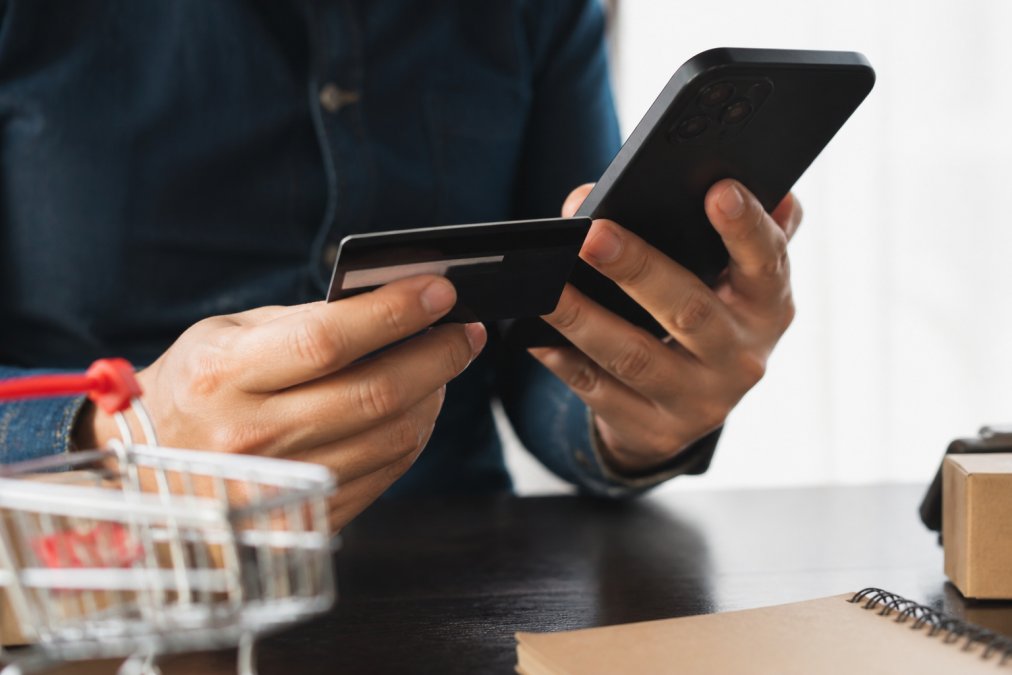
The safest payment methods for online shopping are credit cards and digital wallets, because both offer meaningful consumer protections that debit cards and bank transfers do not.
Why Debit Cards Carry More Risk Than Credit Cards
This is the part most guides gloss over, and it matters. When a fraudulent charge appears on a credit card, federal law under the Fair Credit Billing Act limits your liability to $50 in most cases, and most major card issuers offer zero-liability policies on top of that. You dispute the charge, the issuer investigates, and your money stays in your account throughout the process.
With a debit card, the dynamic reverses. The money is already gone from your bank account the moment the transaction processes. Recovering it requires the bank to complete an investigation first, which takes time and isn't guaranteed. The Consumer Financial Protection Bureau guidance on debit card protections outlines how debit card dispute rights differ significantly from credit card protections under federal law.
The practical recommendation: use a credit card for all online purchases where possible. Reserve debit cards for in-person transactions at trusted merchants.
Digital Wallets and Secure Payment Gateways
Digital wallets add a meaningful layer of security because they tokenize your payment information. Instead of transmitting your actual card number to a retailer, they send a single-use encrypted token. Even if that retailer suffers a data breach, your real card details aren't exposed.
A secure payment gateway will display its certification visibly during checkout. Look for recognizable payment processor logos and ensure the checkout page URL still begins with https://. If a site asks you to pay via wire transfer, cryptocurrency, or gift cards, stop immediately. Those payment methods offer no chargeback rights and are the preferred tool of scammers specifically because transactions can't be reversed.
Cybersecurity Best Practices While Shopping Online
Most people understand they should avoid sketchy websites. Fewer think about the network they're using when they shop, and that gap is where a lot of fraud happens.
Avoid Public Wi-Fi, Use a VPN Instead
Public Wi-Fi networks at coffee shops, airports, and hotels are fundamentally unsecured. A technique called a "man-in-the-middle-attack" allows someone on the same network to intercept unencrypted data passing between your device and a website. Even with https:// encryption, public networks create unnecessary exposure.
The fix is straightforward: use a virtual private network (VPN) when shopping on any network you don't control. A VPN encrypts your traffic before it leaves your device, making interception significantly harder. If you don't have a VPN, wait until you're on a trusted private network before entering payment details.
Two-Factor Authentication and Account Security
Two-factor authentication (2FA) is one of the most effective tools for protecting online shopping accounts, and most people still don't use it. Here's the core issue: if a scammer obtains your email and password through a data breach or phishing attack, 2FA is the barrier that stops them from accessing your account even with valid credentials.
Enable 2FA on every account that stores payment information. Use an authenticator app rather than SMS when the option is available, SMS codes can be intercepted through SIM-swapping attacks.
Additional account security practices worth implementing:
- Use a unique, complex password for every retailer account
- Never reuse passwords across shopping sites
- Check whether your email has appeared in a known data breach using a reputable breach-monitoring service
- Log out of retailer accounts on shared or public devices
How to Avoid Online Shopping Scams on Mobile Apps
Shopping through a mobile app introduces a different set of risks than shopping through a browser. The app itself can be the threat.
Fake shopping apps are a documented problem on both major app platforms. They mimic legitimate retailer apps closely enough to fool users, collect payment information, and disappear. Before downloading any retail app, verify the developer name matches the official retailer, check the number of reviews and how long the app has been available, and read recent reviews for complaints about unauthorized charges or identity theft.
Mobile browser vs. app security also matters. A mobile browser benefits from the same https:// encryption indicators as a desktop browser. An app operates differently, there's no URL bar to inspect, and you're trusting the app developer to implement secure data handling correctly.
A common mistake is assuming that because an app is listed in an official app store, it's been thoroughly vetted. Fraudulent apps do get through the review process periodically. Stick to apps you've downloaded directly from a link on the retailer's verified website, not from a search result within the app store.
Monitor Your Financial Accounts and Catch Fraud Early
Transaction monitoring is your last line of defense, and it's more effective than most shoppers realize. Catching an unauthorized charge within days of it appearing dramatically improves your ability to recover funds and limits the damage a scammer can do.
Set up real-time transaction alerts through your bank and credit card issuer. Most financial institutions offer push notifications for every transaction over a threshold you set. Choose the lowest threshold available, even small test charges by fraudsters before a larger withdrawal are worth catching.
Review your statements at least weekly during periods of active online shopping. Look for:
- Charges from merchants you don't recognize
- Small recurring charges that weren't there before (a common sign of a subscription scam)
- Duplicate charges from legitimate merchants
- Any charge from a foreign merchant if you haven't shopped internationally
If you spot an unauthorized charge, contact your card issuer immediately. Don't wait to see if it resolves itself. The chargeback process has time limits, and acting quickly protects your rights under federal consumer protection law.
How to Report Online Shopping Fraud
Reporting fraud matters beyond your own situation, it creates a record that helps authorities identify patterns and shut down scam operations. The primary reporting channels are:
- The FTC (Federal Trade Commission): File a report at ReportFraud.ftc.gov. The FTC's fraud reporting portal feeds into a national database used by law enforcement agencies across the country.
- The Internet Crime Complaint Center (IC3): Run by the FBI, IC3 handles cybercrime reports including online shopping fraud. File at ic3.gov.
- Your state attorney general's office: Many states have consumer protection divisions that investigate local fraud patterns.
- Your bank or card issuer: Initiate a dispute immediately to begin the chargeback process.
- The retailer's platform: If the scam occurred through a marketplace or social media platform, report the seller or ad directly.
Post-Scam Recovery Steps to Take Immediately
If you've already been victimized by an online shopping scam, the recovery process follows a specific sequence that limits further damage.
Step 1: Secure your financial accounts. Contact your bank and card issuer immediately. Request a new card number and freeze any accounts that may have been compromised. Ask your bank to flag your account for unusual activity.
Step 2: Change compromised passwords. If you used the same password on the scam site as on other accounts, change every one of those accounts now. Start with email, then financial accounts, then shopping accounts.
Step 3: Monitor your credit. Place a fraud alert with one of the three major credit bureaus, Equifax, Experian, or TransUnion. A fraud alert is free and requires creditors to take extra steps to verify your identity before opening new accounts. For more severe identity theft, a credit freeze is stronger protection.
Step 4: Document everything. Save screenshots of the fraudulent site, any emails or messages you received, and your order confirmation if you have one. This documentation supports your dispute and any law enforcement report.
Step 5: File reports. Report to the FTC, IC3, and your state attorney general as described above. If the scam involved a specific platform or marketplace, report it there as well.
Recovery from identity theft can take time. The IdentityTheft.gov recovery guide provides a personalized step-by-step recovery plan based on your specific situation and is the most reliable resource for navigating the process.
| Step | Action | Priority |
|---|---|---|
| 1 | Contact bank, freeze card | Immediate |
| 2 | Change compromised passwords | Within 24 hours |
| 3 | Place fraud alert on credit | Within 24 hours |
| 4 | Document all evidence | Before filing reports |
| 5 | File FTC and IC3 reports | Within 48 hours |
Online shopping fraud is a real and growing threat, but it's one that informed shoppers can defend against effectively. The tactics in this guide, verifying website authenticity, choosing safer payment methods, enabling two-factor authentication, and monitoring your accounts, create overlapping layers of protection that make you a much harder target.
When you shop with a retailer like Value Market Plus, you benefit from a clear returns policy, real customer support from actual people, and a curated selection of tested products, the kind of transparent, trustworthy shopping experience that makes fraud prevention easier from the start. Shop with confidence, stay alert, and don't let scammers ruin the convenience that online shopping is supposed to deliver.
Frequently Asked Questions
How can I tell if an online store is legitimate?
Check for a padlock icon and 'https' in the website URL, which signals encryption is active. Look up the retailer's reviews on independent platforms, read the privacy policy and return policy, and verify contact information is real. Domain spoofing is common, scammers create URLs that closely mimic trusted brands. If the site has no customer support details, no clear refund policy, or prices that seem impossibly low, treat those as serious red flags before entering any payment information.
What is the safest payment method for online shopping?
Credit cards offer the strongest consumer protection for online shopping scams because federal law limits your liability for unauthorized charges and allows chargebacks. Digital wallets add another layer by keeping your actual card number hidden from the retailer. Avoid paying by wire transfer, gift card, or cryptocurrency, these methods offer no fraud recovery options. Debit cards carry higher risk because a fraudulent transaction pulls money directly from your bank account, making recovery slower and harder.
What should you do if you suspect you've been scammed online?
Act quickly. Contact your bank or credit card issuer to dispute unauthorized charges and request a new card. Change passwords on any accounts that shared the same credentials. File a complaint with the FTC at ReportFraud.ftc.gov and report the fraudulent site to the FBI's Internet Crime Complaint Center (IC3). If your personal information was exposed, place a fraud alert or credit freeze with the three major credit bureaus, Equifax, Experian, and TransUnion, to prevent identity theft.
Why should you avoid using debit cards for online purchases?
Debit cards connect directly to your checking account, so fraudulent transactions drain real money immediately. While the Electronic Fund Transfer Act offers some protection, you must report the fraud quickly, delays reduce what you can recover. Credit cards, by contrast, let you dispute a charge before paying it. For online shopping, the chargeback process on a credit card is faster and more consumer-friendly, making it a significantly safer choice whenever you shop at an unfamiliar retailer.
This article was written using GrandRanker