


Signs of a Trustworthy Online Retailer
Table of Contents
- Why Identifying a Trustworthy Online Retailer Matters
- Red Flags of Fake Online Stores
- Check for Secure Connection and Payment Security
- Secure Payment Methods for Online Shopping
- Verify the Domain: How to Check Website Domain Age
- Analyze Customer Reviews and Social Proof
- Examine Return Policies and Customer Support
- Frequently Asked Questions
Last Updated: September 3, 2026
Why Identifying a Trustworthy Online Retailer Matters
Online shopping has become part of daily life for millions of people, but so has the risk of encountering fraudulent sellers. A trustworthy online retailer protects your money, your personal information, and your time. Fraudulent online stores cost consumers hundreds of millions of dollars annually, yet most fake retailers follow predictable patterns: weak security, poor customer reviews, vague contact information, and policies designed to make refunds impossible (fbi.gov).
At Value Market Plus, we understand that shoppers need confidence when buying online. Our commitment to tested products, real customer support, and transparent policies reflects what makes any trustworthy online retailer stand out. By learning the red flags that separate legitimate businesses from fake operations, you can shop with confidence and avoid the worst offenders.
Red Flags of Fake Online Stores
Certain warning signs appear consistently in fraudulent operations. A fake online store typically combines multiple red flags rather than just one.
Suspicious domain names are often the first clue. Scammers frequently use URLs that mimic legitimate brands: "amaz0n.com" instead of "amazon.com," or "target-official.com" when the real site is "target.com." Check the exact spelling and look for unusual extensions like ".tk" or ".ml" instead of standard ".com" or ".org" domains.
Poor website design and grammar errors are hallmarks of hastily built fake stores. Legitimate retailers invest in professional design, clear navigation, and error-free copy. If you see broken images, misaligned text, awkward phrasing, or consistent spelling mistakes, that's a warning.
Unrealistic discounts should trigger skepticism. If a product normally sells for $200 and a retailer is offering it for $30, something is wrong. Scammers use deep discounts to drive impulse purchases before victims realize they've been deceived.
Missing or vague contact information is a critical red flag. Legitimate businesses provide physical addresses, phone numbers, and email support. If you can only contact a store through a contact form with no way to verify their location or speak to a real person, that's a serious concern.
Check for Secure Connection and Payment Security
A trustworthy online retailer uses encryption to protect your data during transactions. Before entering payment information, verify that the website uses a secure connection and that the payment processor is legitimate.
Verify HTTPS and SSL Certificates
Look for "HTTPS" at the beginning of the URL, not just "HTTP." The "S" stands for Secure Socket Layer (SSL) encryption (nist.gov). Most modern browsers display a padlock icon next to the address bar when a connection is encrypted. Click that padlock to see the security certificate details and verify the domain matches the website you're visiting.
Scammers often skip SSL certificates because legitimate certificates require business verification and cost money. Never enter payment information on a non-HTTPS website.
Use Browser Security Tools to Automate Verification
Modern browsers include built-in security features that flag suspicious sites automatically. Chrome, Firefox, Safari, and Edge all maintain databases of known phishing and malware sites. Browser extensions like uBlock Origin, HTTPS Everywhere, and retailer-specific tools add security layers without requiring manual effort, flagging suspicious payment forms and invalid SSL certificates in real time.
Verify the Payment Processor Is Legitimate
Reputable retailers use established payment processors like Stripe, PayPal, Square, or major credit card networks. When you reach checkout, verify the payment processor's domain directly. If the site claims to use PayPal but the payment form loads from a different domain, that's a red flag.
If a store only accepts wire transfers, cryptocurrency, gift cards, or money transfer services like Western Union, avoid it. Those payment methods offer no recourse if something goes wrong.
Look for Payment Security Badges, But Verify Them
Legitimate retailers display trust badges from security companies like Norton Secured or McAfee Secure. Click on security badges to verify they're real. Legitimate badges link to the issuing company's verification page, where you can confirm the retailer is actually certified.
Two-Factor Authentication as a Sign of Security Investment
Some retailers now require a second verification step when you log in or make a purchase. This might be a code sent to your phone, an authenticator app, or biometric verification. If a store offers two-factor authentication, that suggests they've invested in modern security practices.
Secure Payment Methods for Online Shopping
Your choice of payment method affects your protection level. Credit cards provide strong buyer protection through chargeback rights (the FTC). If you dispute a charge, your credit card company investigates and often reverses fraudulent transactions. Debit cards offer less protection, so using a credit card is generally safer for online purchases.
PayPal and similar payment platforms act as intermediaries between you and the retailer. If a transaction goes wrong, you can dispute it through the platform's resolution system. Never use wire transfers, cryptocurrency, or gift cards for unfamiliar retailers, these payment methods are essentially irreversible.
Verify the Domain: How to Check Website Domain Age
A website's domain registration history reveals whether a retailer is established or brand new. Scammers frequently create new domains specifically for short-term fraud operations.
Check Domain Registration History
Use a domain lookup tool like WHOIS to check when a domain was registered. Visit whois.com and enter the retailer's domain name. A domain registered within the last few months deserves extra scrutiny, especially if it mimics an established brand name. Established retailers typically own domains registered years ago and renew them regularly.
Check the domain owner information in WHOIS results. Legitimate businesses often list their company name and address. Scammers frequently hide this information using privacy protection services, which combined with other red flags becomes concerning.
Verify Legitimacy When Shopping via Social Media Ads
Many scams now originate from social media advertisements rather than standalone websites. When you click a social media ad, verify the retailer before proceeding.
Check if the brand has an official social media account. Scammers create fake brand accounts or buy ads that mimic legitimate companies. Look for a blue checkmark on Instagram, TikTok, or Facebook. Compare the account that ran the ad to the brand's official account, scammers often use similar names like "Nike_Official" instead of the real "Nike."
Reverse-image search the product photos. Scammers frequently steal product images from legitimate retailers. Use Google Images or TinEye to search for the product photo shown in the ad. If the same image appears on multiple unrelated websites or on a legitimate retailer's site at a different price, the ad is likely a scam.
Verify the checkout domain before entering payment information. The domain should match the brand's official website. If clicking an Instagram ad for "Nike" takes you to "nike-store.shop" or "nikeshoes-official.com," that's a red flag.
Check the retailer's return address. Scammers often ship from overseas addresses and make returns impossible. Verify the company's physical address using Google Maps. If the address is a residential apartment, a mailbox service, or doesn't exist, that's suspicious.
Verify Mobile App Legitimacy
Before downloading a shopping app, check the developer name and reviews. Legitimate retailers use their official company name as the developer. Read recent reviews carefully, if users report being charged without authorization, receiving counterfeit goods, or being unable to contact support, avoid the app. When possible, shop directly through a retailer's website rather than a third-party app.
Analyze Customer Reviews and Social Proof
Genuine customer feedback reveals how a retailer actually treats customers. Check reviews on independent third-party platforms rather than relying solely on reviews posted on the retailer's own website. Sites like Trustpilot, Google Reviews, and the Better Business Bureau provide independent spaces where customers post honest feedback.
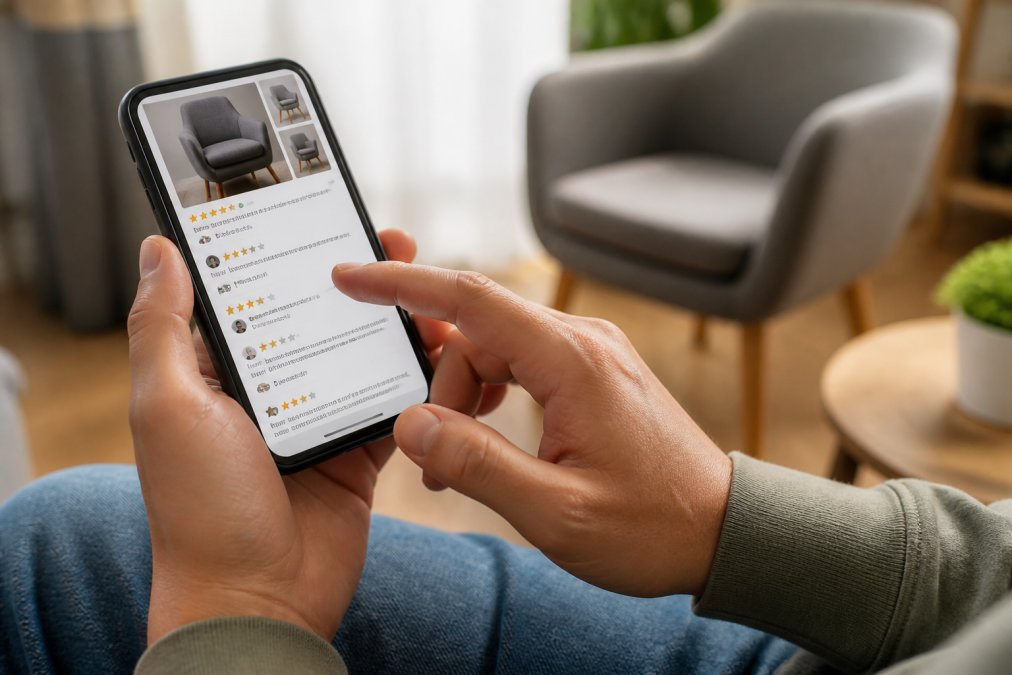
Real reviews contain specific details about actual purchases. Fake reviews tend to be generic: "Great product!" without mentioning what they bought or how it performed. Look for review patterns, if all reviews are five stars with no variation, that's suspicious. A mix of four and five-star reviews is more believable than perfect scores.
Check the reviewer profiles on third-party platforms. Do they have other reviews? Do they seem like real people? Legitimate retailers maintain active social media accounts with real customer interactions. A company claiming to be established but with no social media presence or accounts created just weeks ago is questionable.
Examine Return Policies and Customer Support
A trustworthy online retailer makes returns and refunds straightforward. Complicated policies that make refunds nearly impossible are a hallmark of fraudulent operations.
Read the return policy carefully before buying. Legitimate retailers clearly state: how many days you have to return items, whether returns are free or require you to pay shipping, what condition items must be in, and how long refunds take to process. Value Market Plus, for example, offers a clear, simple refund policy so customers can shop with confidence.
Beware of policies that seem designed to prevent returns. Some fake stores claim "all sales are final" or require you to pay return shipping on items that arrive damaged or counterfeit. Read reviews mentioning the return process, if customers report difficulty getting refunds, that's a serious warning sign.
Test customer support before making a large purchase. Try contacting the retailer with a simple question. Do they respond within a reasonable timeframe? Do you reach a real person or get only automated responses? Legitimate businesses have real customer support teams. A trustworthy online retailer makes support accessible because they expect customers to have questions.
Check the privacy policy and terms of service. These should clearly explain how the company uses your data, what happens if you need a refund, and what your rights are. Legitimate companies invest in proper legal documentation.
Shopping online doesn't have to mean accepting risk. By checking for secure connections, verifying domain information, reading independent reviews, and confirming clear return policies, you can identify a trustworthy online retailer before spending your money. At Value Market Plus, we've built our reputation on tested products, real customer support, and transparent policies, the exact qualities that define trustworthy online retailers. When you shop with a business that prioritizes your confidence and makes returns simple, you can focus on finding the products that improve your life rather than worrying about whether you'll get your money back.
Frequently Asked Questions
Q: How can I tell if an online retailer is legitimate?
A: A trustworthy online retailer displays multiple trust signals: an HTTPS secure connection, clear contact information with a physical address, genuine customer reviews on independent platforms, professional website design with minimal grammar errors, transparent return and refund policies, and active social media presence. Check the domain age using WHOIS lookup tools, established domains are generally safer. Verify the business through the Better Business Bureau and look for trust badges from recognized security providers.
Q: What are the biggest red flags of fake online stores?
A: Watch for these warning signs: unsecured websites (no HTTPS), unrealistic discounts (80%+ off), poor grammar and spelling throughout, stock photos instead of real product images, no physical address or phone number, unverifiable customer reviews, suspicious domain names that mimic legitimate retailers, requests for unusual payment methods (wire transfers, gift cards), and lack of a clear return policy. Sites that pressure you to buy immediately or hide contact information are also major red flags.
Q: How do I check if a website's domain is old and established?
A: Use free WHOIS lookup tools to check website domain age and registration details. Visit whois.com or similar services, enter the domain name, and review when it was first registered. Domains registered years ago are generally more trustworthy than newly created ones. Be cautious of domains registered very recently (within weeks), especially if they closely resemble well-known retailers. You can also check domain history using the Wayback Machine to see if the site has existed for years.
Q: What secure payment methods should I use when shopping online?
A: Use credit cards or payment platforms with fraud protection like PayPal, Apple Pay, or Google Pay. These methods offer chargeback protection if something goes wrong. Avoid wire transfers, cryptocurrency, or gift cards, these have no buyer protection. Look for payment gateways displaying security badges (Visa, Mastercard, or third-party verification). Enable two-factor authentication on your payment accounts for added security. Never enter payment information on unsecured (non-HTTPS) websites, and always verify the checkout page URL matches the retailer's domain.
This article was written using GrandRanker